


Content

About this webinar
About the speaker

Key points and insights
In this engaging and insightful webinar, genealogist and librarian Drew Smith shares practical strategies for organizing genealogy files—both physical and digital—to streamline research and preserve valuable records. With decades of experience in the field and a deep understanding of information management, Smith helps genealogists build customized systems that align with their research styles and goals. Whether you're overwhelmed by paper piles or struggling with digital clutter, this session offers a clear roadmap for achieving an organized, efficient, and calm research environment. The webinar is a must-watch for anyone seeking to protect their research, avoid redundancy, and collaborate effectively with others.
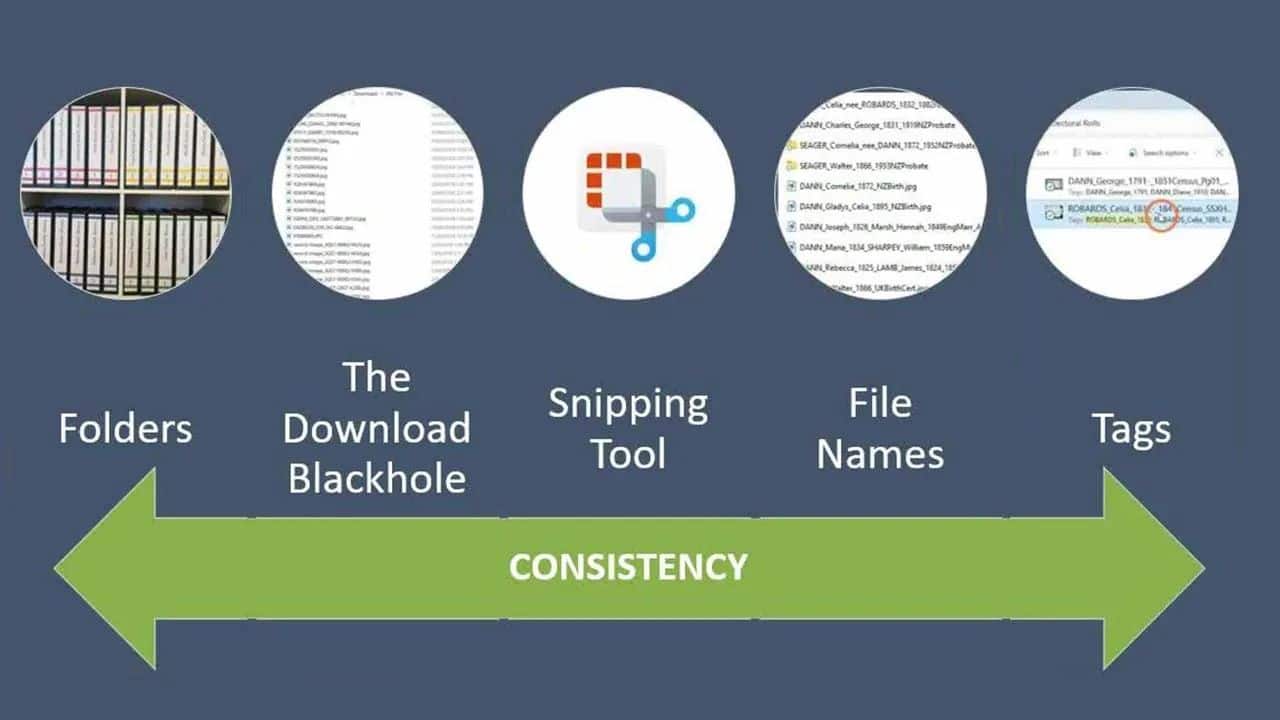
Key Takeaways:- Design a System That Works for You: Smith emphasizes that there’s no one-size-fits-all solution. Instead, he encourages genealogists to design a system based on their own habits and needs. Simplicity and flexibility are key—start small, build gradually, and create a structure that supports both browsing and searching across digital and paper files.
- Use Naming and Filing Conventions Wisely: For digital files, Smith recommends using consistent, descriptive naming formats (e.g., “Smith_George_1999_death_certificate”) that sort chronologically and provide immediate clarity. Physical systems, like binders and hanging folders, can be organized by surname and then by individual, using dividers or labeled folders to distinguish people with the same name.
- Prioritize Preservation and Accessibility: The session stresses the importance of scanning important documents, storing originals in archival-safe conditions, and backing up digital files to cloud services like Dropbox and Backblaze. This multi-layered approach ensures long-term access and safeguards against disasters, theft, or technological failures.
Before wrapping up your organization journey, be sure to explore the supplementary materials included in the syllabus. These resources offer additional tools, product recommendations, and extended reading to help you refine and maintain your genealogical filing system over time.
Related webinars
 01:18:46
 00:22:33
 01:31:1601:31:16
 00:19:06
 00:47:20
 00:12:47
 01:25:49
Comments (96)
I love the idea of using dates after the name to keep information in chronological order. Thank you, and enjoy your “retirement”!
Very Helpful
Drew's explanations are easy to follow and give me hope to get my 40+ years organized.
I should have had this training 50 years ago. The seminar helped to organize my system into a better system. Thanks!
Very simple and very practical.
Liked his approach of getting things closer to where you need them over time. (I.e., not trying to build your system all at once)
Very useful!! I know where to start in sorting my thousands of documents now.
Really practical. Even though I joined a little late I learned tons of useful information. The most important for me was to get a 3rd party backup service.