


Content

About this webinar
About the speaker

Key points and insights
In this informative and practical webinar hosted by Legacy Family Tree, professional archivist and genealogist Nancy Loe presents “The Six Folder Genealogy Organizing System.” Drawing from her decades of archival experience, Nancy delivers an accessible, flexible, and efficient strategy for managing the overwhelming volume of genealogical data—both digital and physical. With thousands of global attendees tuning in, this webinar offers a structured, archivist-approved approach to organizing records, reducing duplication, and improving research effectiveness. Whether you're a beginner drowning in documents or a seasoned genealogist looking to refine your system, Nancy’s method provides a sustainable solution that puts your research back in your control.
Key Takeaways:
-
The Six-Folder System Simplifies Everything
Nancy’s core strategy is to divide all genealogical materials into six main folders: Administrative, Family Trees, Photos, Primary Sources, Secondary Sources, and Surnames. Each folder contains intuitive subfolders that prioritize consistency and retrievability—eliminating the need for complex systems or excessive categorization. -
Archivist Best Practices for File Naming and Data Entry
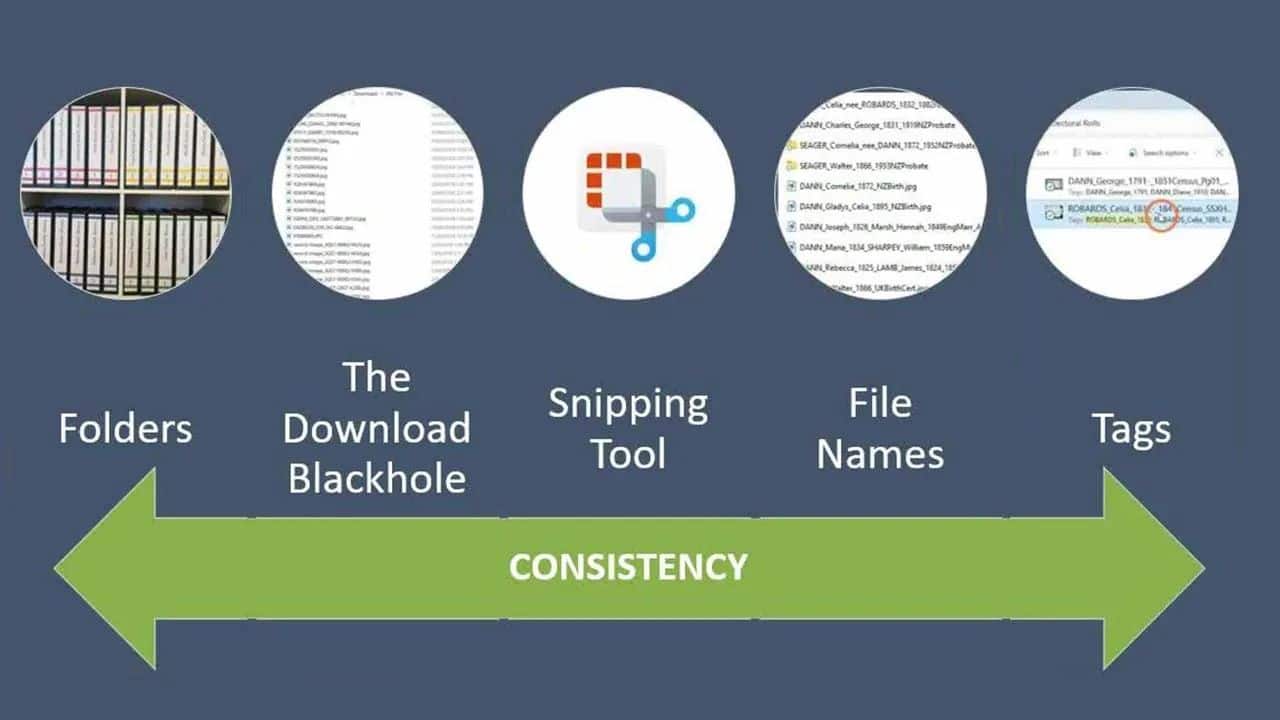
By applying principles like controlled vocabulary, consistent file naming (e.g., “RossGeorgeBirth.jpg”), and using names as they appeared at the time of the event, Nancy demonstrates how to ensure records are findable and meaningful. She also cautions against relying solely on online trees and encourages genealogists to “own their data” by keeping local copies of records and software-synced trees. -
Linking, Backups, and Digital-Paper Integration
Nancy emphasizes uniting your digital and physical records through citation integration in family tree software, writing filenames on physical documents, and adopting a 3-2-1 backup strategy. With examples of real-world data loss, she makes a compelling case for redundancy, cloud storage, and sharing your tree with trusted relatives as part of a preservation plan.
To see Nancy’s complete method in action—including examples, naming conventions, and folder structures—view the full webinar replay available on FamilyTreeWebinars.com. Members can also access Nancy’s comprehensive syllabus and e-book, “Organized Like an Archivist,” filled with deeper insights and step-by-step guidance. New users can enjoy a discount using the code provided during the session.
For those serious about improving their research process, don’t miss the opportunity to explore the additional tools included in Nancy’s syllabus. These resources will not only help streamline your current workflow but also safeguard the legacy of your genealogical discoveries for future generations.
Related webinars
 01:18:46
 00:22:33
 01:31:16
 00:49:37
 00:19:06
 00:47:20
 00:12:47
 01:25:49
Comments (93)
A most enlightening talk. I have learned the style used for consistency many years ago. \n My File style is [SURNAMAE]-[Forename]-[2nd Fname]_[Associated name (as in a marriage, or 'FAN])]_[Event-Year]_[Original or Processed ['o' or 'p' or 'pt']. See here the use of hyphens and underscores to separate ideas or features of the file. The point of this is that a list can be converted as a table spreadsheet, whereby the individual features can be sorted by column, etc. I like the filename or an image to not produce questions, such as what is this about? Applies to whom or which event? Self answering and spreadsheet listable.
Missed this although I registered. Have just watched it an was reassured about my understanding of the organisation of family history information. Also found all the tips, particularly be CONSISTENT very helpful.\nThanks.
thankyou for the clarification of save record to computer. All mine are mainly in ancestry but I have printed a lot. These I think now I should scan and save filed as you are showing
Should be a perquisite before even being to do genealogy. While I had implemented many of the types of folders and subfolders discussed in this webinar, those folders were what one would consider disorganized for the purpose of rapid recovery of information. Hours will be spent in reorganizing using the Six Folder System but the finished product will save hours down the road. GREAT WEBINAR!
I'm finally ready to set up a file system for my information. This presentation clicked. A long time ago I attended a seminar where the presenter emphasized that in order to be practical a system has to be able to be in one's head. This one FINALLY is that type of system.
I like the organizing system and I am an organized, detail-oriented person but the organization system here appeared to be too much. I will take from the system what I feel I need at this time!
So well done and helpful. My weekend is now decided for what to do.
Great information